
BinWise2.2.1 - App Store
You'll be able to see results in few seconds.
Publisher Description

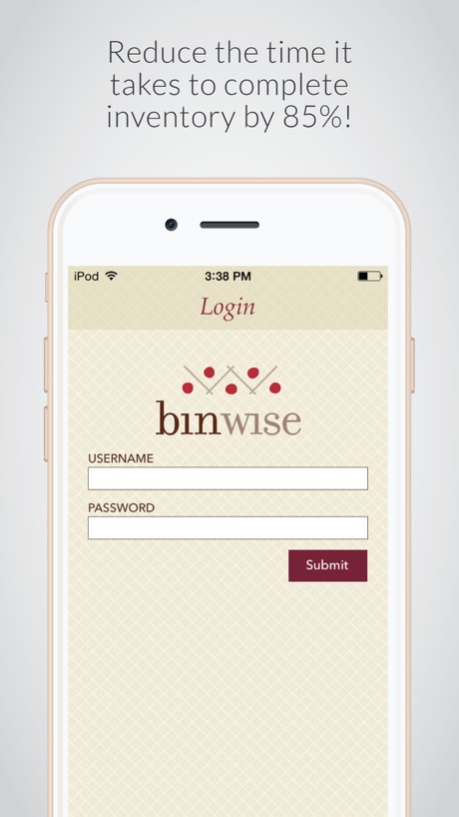
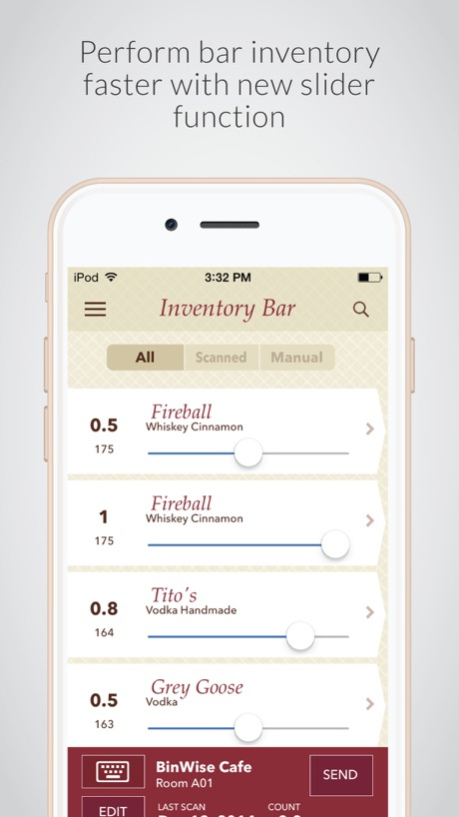
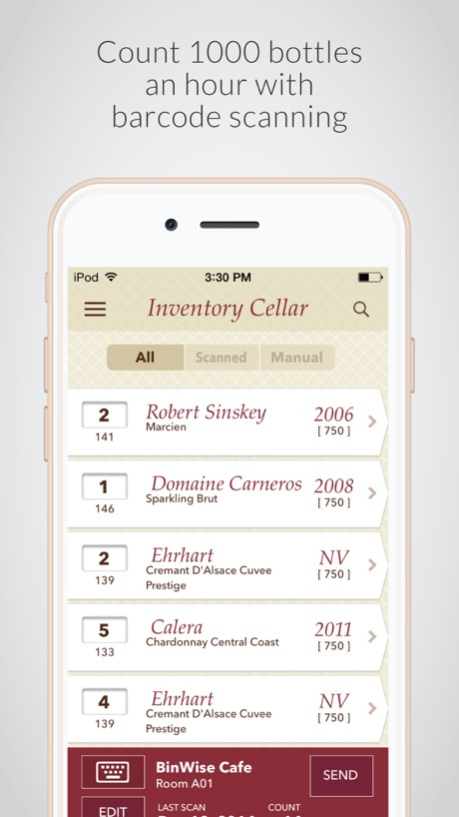
For beverage management professionals, taking inventory of wine, beer, and spirits is a long and tedious process. As part of the BinWise Beverage Management Platform, the new BinWise iOS app uses barcode scanning to create an easy and efficient way to perform inventory of wine cellars, bars and other hospitality locations.
Load the BinWise iOS app onto an iPod Touch (5th generation) and combine it with the Honeywell Captuvo SL22 scanner sled. Then take inventory by scanning the barcode on each bottle or on a scan sheet of your inventory. When compared to the traditional, manual process of taking inventory, the BinWise iOS app can reduce the time it takes by up to 85% and vastly improve accuracy. Inventory can be completed, reconciled and sent to accounting, all within the platform.
BinWise iOS app features include:
● Complete inventory counts faster with barcode scanning for wine, beer, and liquor as well as non-beverage items like china, glass, silver and more
● Manage separate counts of larger locations with multiple storage/service areas and generate individual reporting
● Count items quickly with partial quantities
● Use the app without a scanner sled by searching for your wine by name or barcode number and entering quantities
● Scan multiple inventory locations and send via Wi-Fi to BinWise for processing and reconciliation
● View all previous archived scans and see who sent them and when
● Perform wine lookups and see detailed information for all your wines on the BinWise platform
About BinWise
BinWise is a data-driven, cloud-based platform that allows you to manage all your beer, wine and spirit programs in one place. We make it easier and faster to place orders, receive products, conduct inventory and manage beverage lists, while providing actionable reporting to lower costs and increase revenue, all within a single application.
The BinWise platform features include:
● Purchasing – Order products directly from vendors and manage POs, invoices and credits in one place
● Inventory – Complete inventory in a fraction of the time with our unique barcode scanning system
● Sales – Works with all major point of sale systems to gather daily sales and deduct those items from inventory
● Wine & Beverage Lists – Use live purchasing, inventory, and sales data to generate real time lists of wine, beer, and spirits in print, web, or iPad format
● Reports – Track variances, price changes, profitability, top categories sold, top producers sold, corked wines, 86 list, and much more
For more information, visit www.binwise.com
Dec 12, 2018
Version 2.2.1
Fixes included in this version.
- App unavailability for IOS 11,10 & 9 versions
- bug fixes
About BinWise
The company that develops BinWise is BinWise Inc.. The latest version released by its developer is 2.2.1.
To install BinWise on your iOS device, just click the green Continue To App button above to start the installation process. The app is listed on our website since 2018-12-12 and was downloaded 0 times. We have already checked if the download link is safe, however for your own protection we recommend that you scan the downloaded app with your antivirus. Your antivirus may detect the BinWise as malware if the download link is broken.
How to install BinWise on your iOS device:
- Click on the Continue To App button on our website. This will redirect you to the App Store.
- Once the BinWise is shown in the iTunes listing of your iOS device, you can start its download and installation. Tap on the GET button to the right of the app to start downloading it.
- If you are not logged-in the iOS appstore app, you'll be prompted for your your Apple ID and/or password.
- After BinWise is downloaded, you'll see an INSTALL button to the right. Tap on it to start the actual installation of the iOS app.
- Once installation is finished you can tap on the OPEN button to start it. Its icon will also be added to your device home screen.
Program Details
System requirements
Download information
Pricing
Version History
version 2.2.1
posted on 2018-12-12
Dec 12, 2018
Version 2.2.1
Fixes included in this version.
- App unavailability for IOS 11,10 & 9 versions
- bug fixes
Disclaimer
Official App Store Link
We do not host BinWise on our servers. We did not scan it for viruses, adware, spyware or other type of malware. This app is hosted by Apple and passed their terms and conditions to be listed there. We recommend caution when installing it.
The App Store link for BinWise is provided to you by apps112.com without any warranties, representations or guarantees of any kind, so access it at your own risk.
If you have questions regarding this particular app contact the publisher directly. For questions about the functionalities of apps112.com contact us.
